Automate Meeting Notes
Build automated meeting notes into your product with one API, powering live and asynchronous notes, summaries & more












Recall.ai helps leading companies automate meeting notes
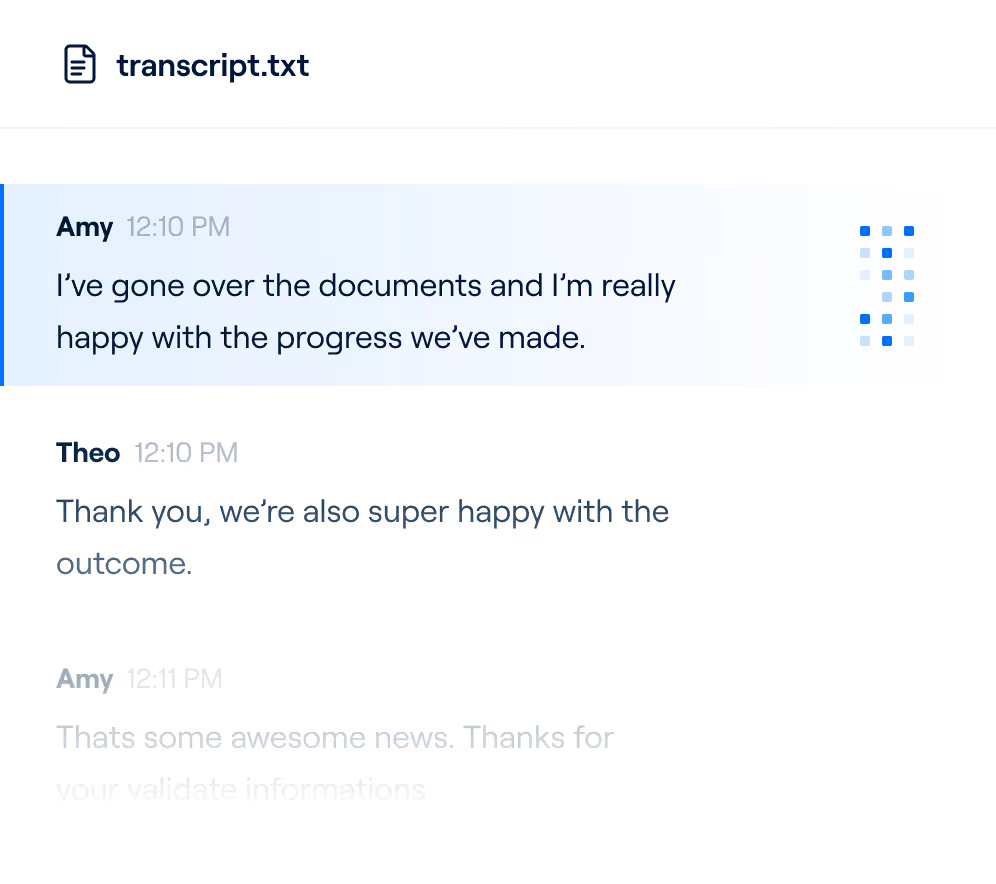
We power the world’s leading AI notetaking platforms, including Cluely, Fellow, ClickUp, and more. Our unified API captures meeting data like transcripts, recordings, and participant data like names and emails from all major video conferencing platforms. Companies then use this data to deliver automated, AI-powered notes and insights to their users.


Shipping our AI notetaker with Recall.ai took us less than a quarter from kickoff to getting it into customers’ hands and we are able to reliably get data from each meeting provider.




Recall.ai lets us avoid having an engineer on call 24/7 to manage the recording pipeline. We had a prototype up and running within a week, which significantly sped up getting our product into customers’ hands.



Using Recall.ai allowed us to invest more into doing valuable things with data, rather than just maintaining the layer of getting data.


Who should use Recall.ai to automate meeting notes?
.avif)
Existing AI notetaking tools
By using Recall.ai, companies with existing meeting notetakers improve reliability, effectively handle edge cases, and free up engineering resources. Recall.ai maintains and scales your notetaker’s infrastructure so you can focus on the key areas of your product.
Companies working
with meeting data
Companies across industries like productivity, sales, hiring, finance, and healthcare use Recall.ai to add meeting notetaking into their products. With Recall.ai, you can easily build, test, and launch an AI notetaker that works on all devices and video conferencing platform tiers.
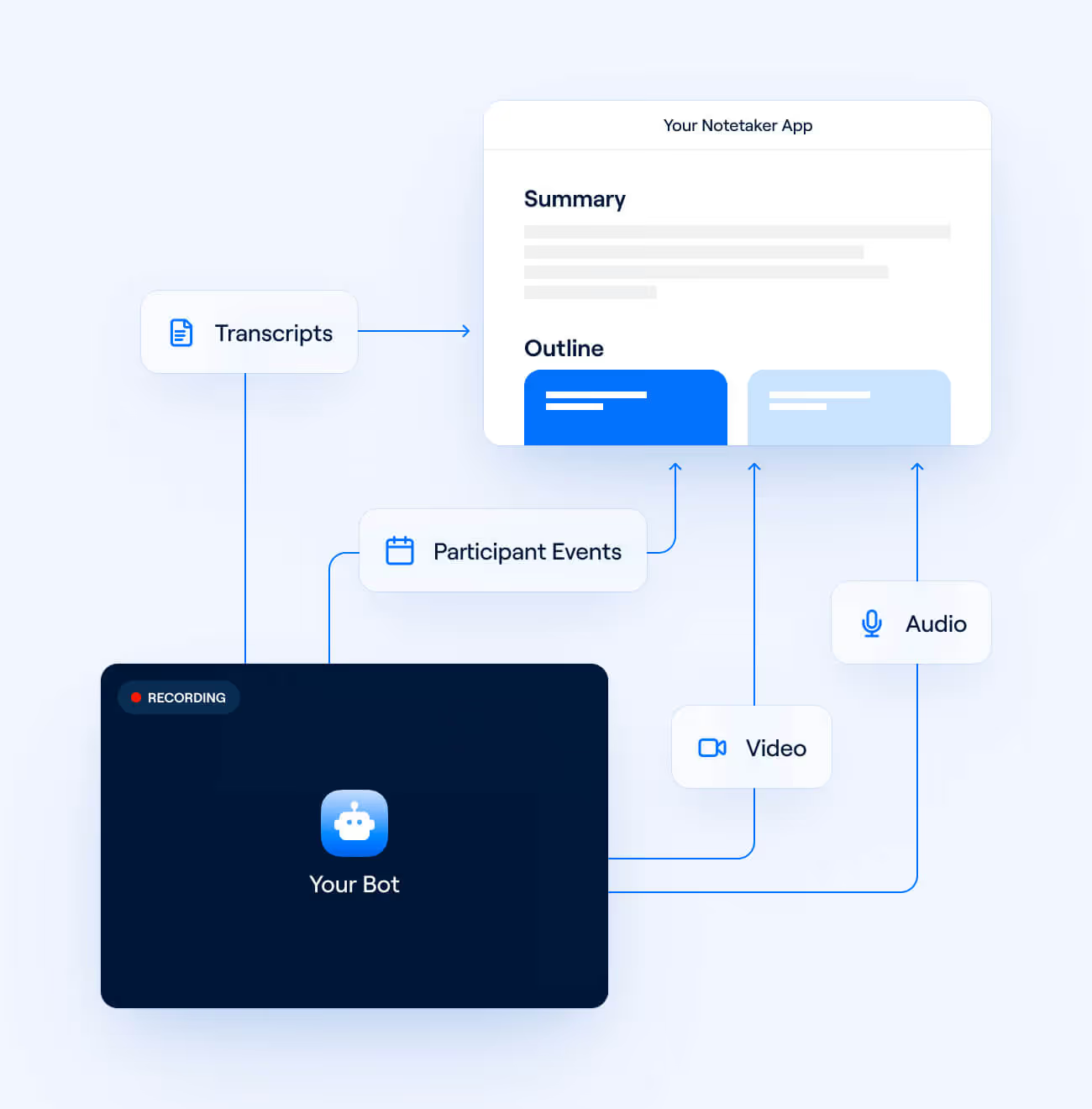
Developers building notetakers from scratch
It takes a team of engineers an average of 6 months to build an integration that gets data from a single video conferencing platform. With Recall.ai’s API, developers can integrate with all the major video conferencing platforms in minutes, connect the meeting data to an LLM, and launch a notetaker.


Automatic notetaking for any type of meeting
Recall.ai can record virtual and hybrid meetings, phone calls, and in-person chats, giving your AI notetaker complete context into your users’ conversations.




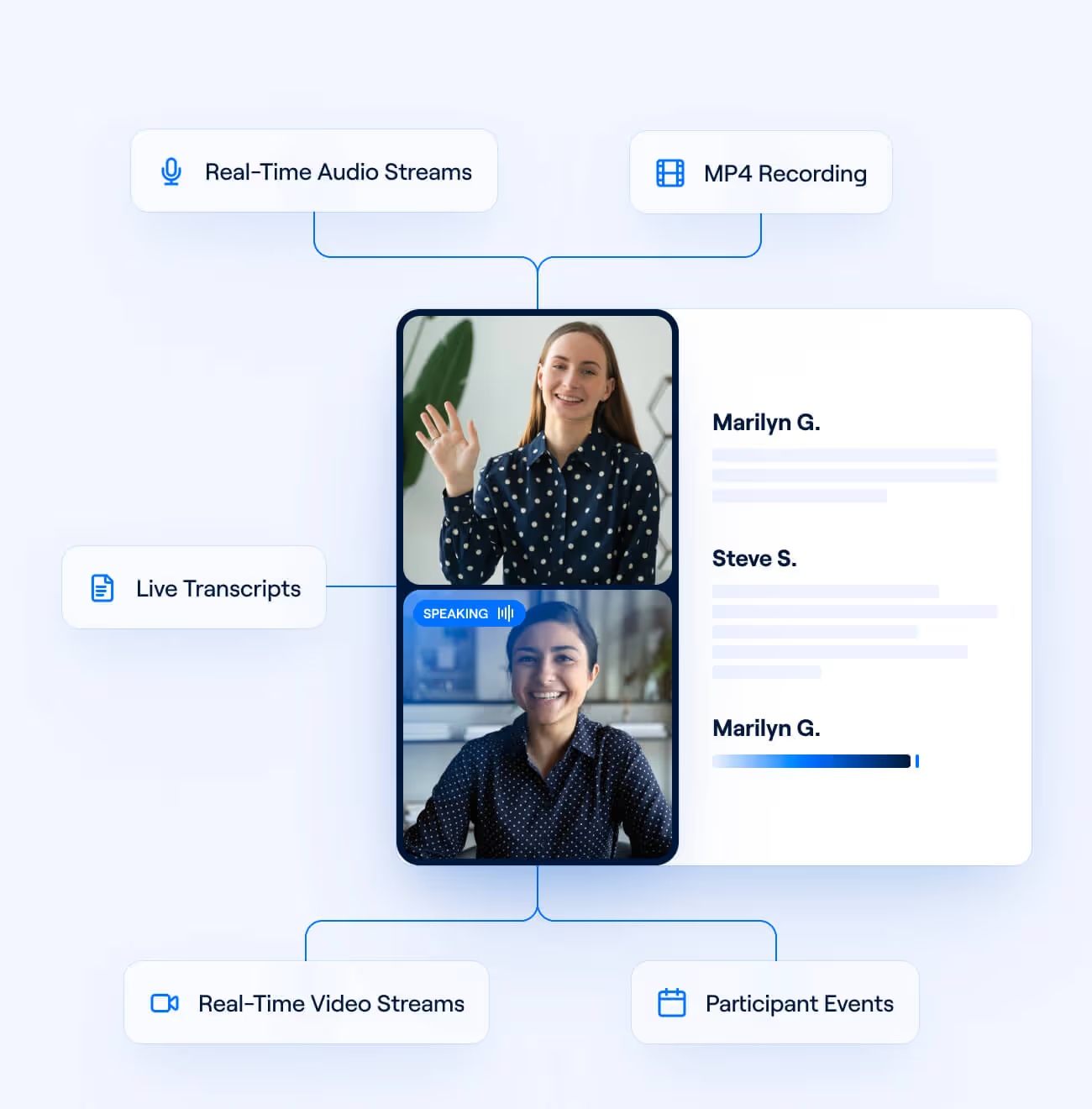
All the data you need from meetings
Get video and audio recordings, transcripts, and metadata, in real time or post-call. With Recall.ai, your application has full insight into what happens during the meeting, from screenshares to participant events that tell you when individuals mute, turn video off, and more.

Frequently asked questions
It takes just a few minutes to send a bot to a call or configure a botless recorder with Recall.ai’s API. From there, it takes developers an average of 72 hours to bring a notetaking product to market using Recall.ai – much faster than any alternative solution.
Any company looking to help their users get insights from meetings can use Recall.ai. We support general notetakers as well as notetakers for sales teams, financial advisors, and more. On top of this, we also support meeting analysis across industries, including tools to get insights from 1:1 meetings, build AI scribes, and get conversation intelligence from sales calls.With Recall.ai, teams get reliable, comprehensive meeting data without the complexity of maintaining infrastructure.
You can read our guide on building an AI notetaker using Recall.ai’s API. You’ll set up your bot to get asynchronous and real-time data, connect your meeting data to an LLM, and stream results to the frontend of your application. You can also use or fork our sample app to easily run a notetaker with Recall.ai.
If you need real-time data such as live transcripts, configure real-time webhooks to receive meeting data events from Recall.ai and pass the data to an LLM of your choice. If you’re working with asynchronous meeting data, get your meeting data and recordings via an API call and pass that directly to an AI model.
Once you get the transcripts, you can pass them as part of an LLM prompt and ask the AI model to generate meeting summaries or action items according to your specifications. If you would like an example of an effective LLM prompt, check out our sample app and follow along with our guide to capturing meeting action items.
Yes! Recall.ai offers reliability SLAs of 99.9%, and comprehensive testing has proven Recall.ai to be the most stable meeting infrastructure product on the market. Unlike all other meeting recording APIs, our platform is designed to handle critical edge cases such as Google Meet bot detection and allows notetakers to join regardless of user attendance or meeting platform tier.
The infrastructure necessary to record meeting data is complex and extremely labor intensive to maintain, typically requiring a team of specialized, full-time engineers to monitor and fix issues. Without reliable infrastructure that supports multiple video conferencing platforms, notetakers cannot consistently provide meeting notes to users. Recall.ai handles the infrastructure complexity and helps teams focus on what makes their product unique.
Recall.ai produces perfectly diarized transcripts, which means that speech is always accurately attributed to each participant. Because Recall.ai captures separate audio streams, we accurately diarize transcripts even when multiple people talk at once. Recall.ai also captures participant names and other metadata alongside the audio, allowing notetakers to label transcripts with speaker names and emails.
Recall.ai is designed to work without needing additional permissions to record. That said, Recall.ai supports sending custom consent messages to ensure everyone knows they’re being recorded, both with bots and the botless Desktop Recording SDK.
Storing meeting data is optional: Recall.ai offers custom data retention windows ranging from zero data retention to infinite storage. You can also delete data at any point by calling the Delete Bot Media or Delete Recording endpoints. Recall.ai lets you store meeting data in US, EU, or APAC regions.
You can use Recall.ai’s Desktop Recording SDK to record meeting notes without a bot. To get started, clone our sample app, join a meeting, and see how the SDK automatically detects, records, and transcribes meetings. You can then integrate the Desktop Recording SDK into your own notetaking app and configure the meeting data and events you want to capture.
Yes! The Desktop Recording SDK allows you to access live meeting data including transcripts, participant events, raw audio, and video frames.


