Automatically Create Tickets from Meetings
Use information mentioned in meetings to create and update tasks and tickets


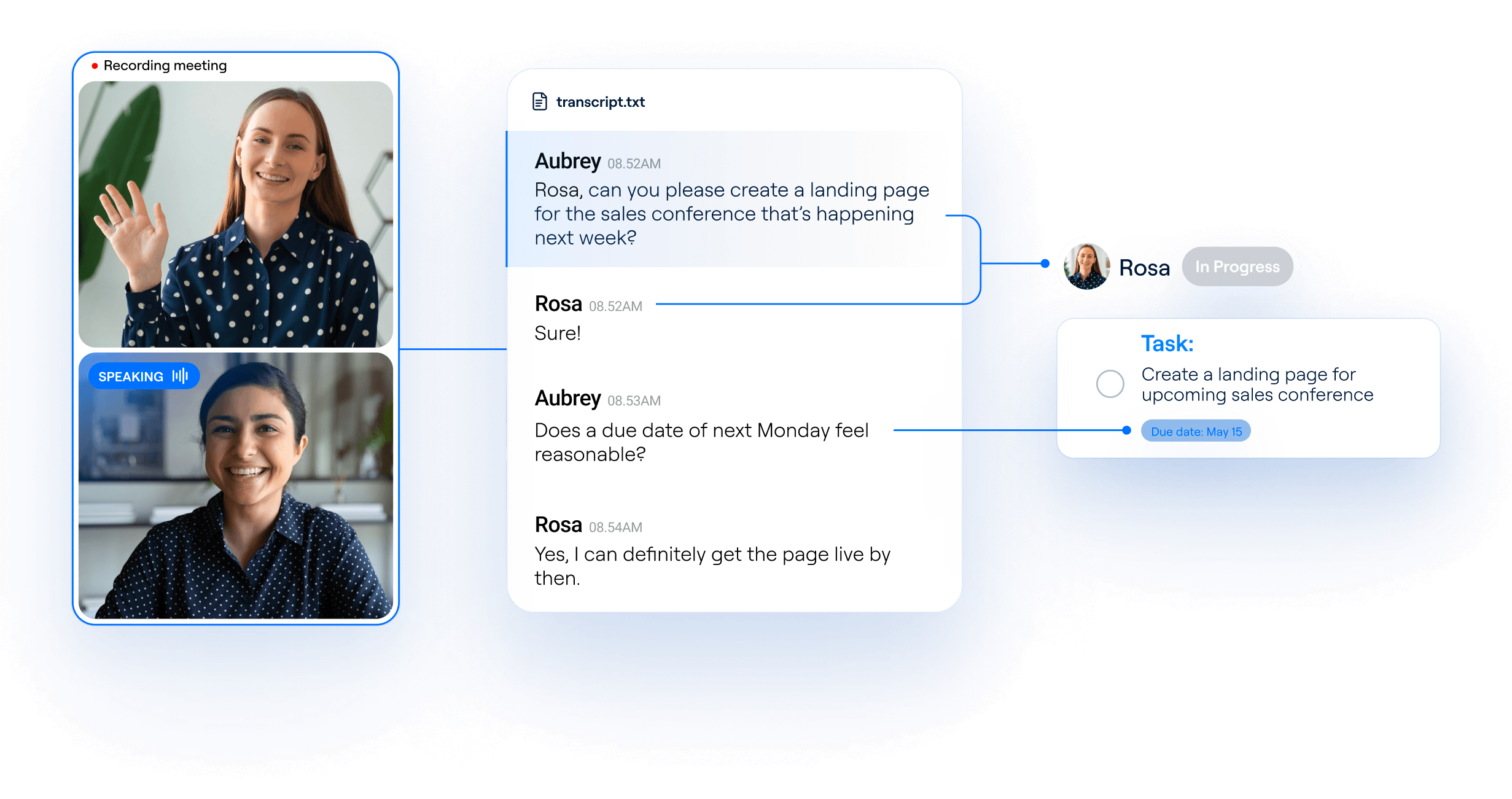

Recall.ai helps leading platforms automate ticket creation
Recall.ai's unified API captures data like transcripts, recordings, and participant names and emails from meetings. Project management platforms use this data to create tickets, update statuses, and offer project context to agents.








Recall.ai has been a critical partner to us in rolling out Fellow.app's new AI copilot functionality. We love working with Recall because they are focused on the infrastructure so that we can focus on what we're good at - solving meeting productivity for companies everywhere.


Build tools to create & update tickets from meetings
By using Recall.ai to capture standups, sprint planning, client calls, and more, your platform can turn conversations directly into up-to-date tasks while capturing valuable context for AI meeting agents.
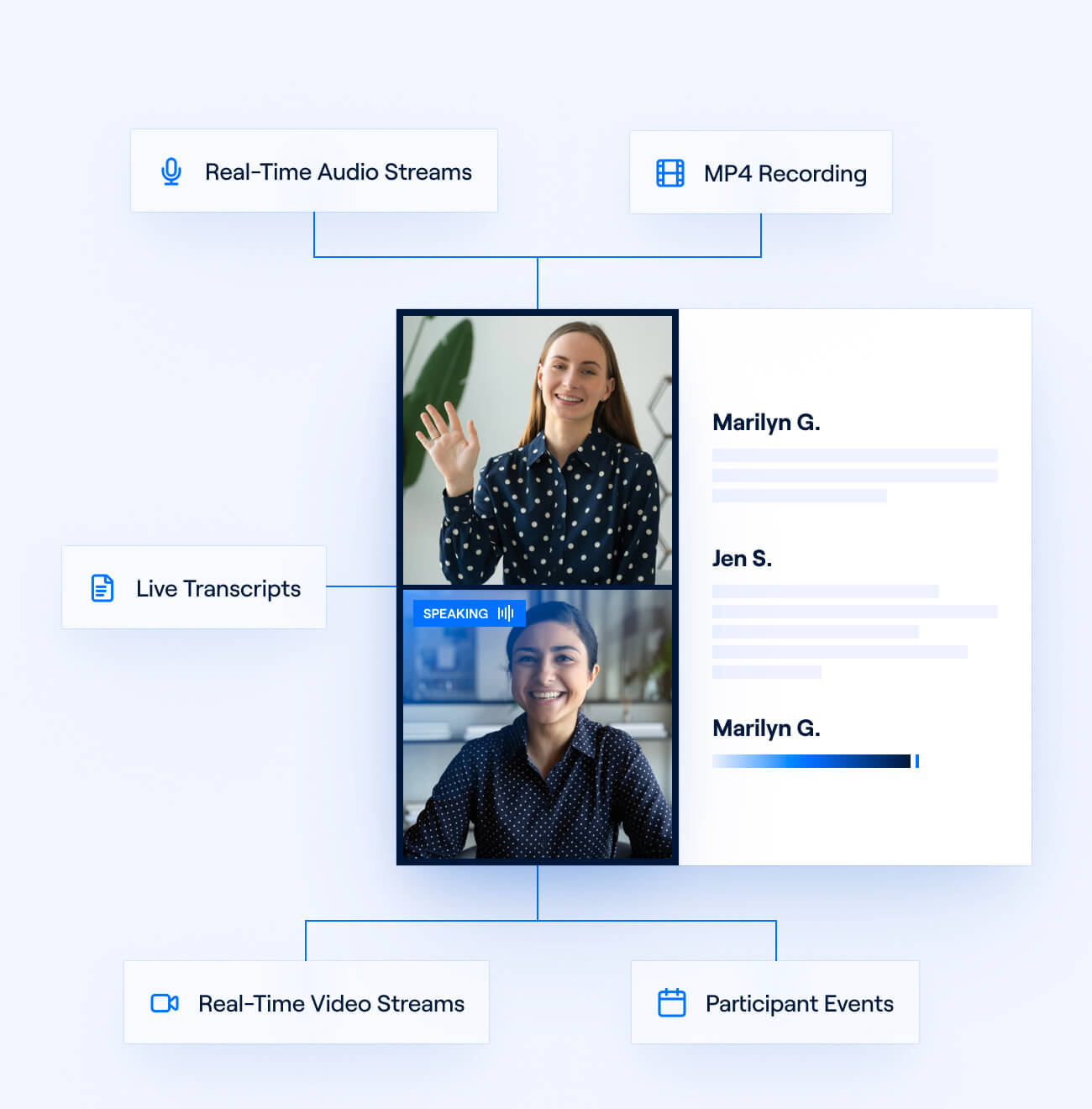
Capture and act on meeting data
Whether a conversation happens face-to-face or on platforms like Zoom, Google Meet, and Microsoft Teams, Recall.ai’s unified API reliably records its data. Use meeting transcripts to power conversational agents that automate tasks like writing follow-up emails and drafting PRDs.
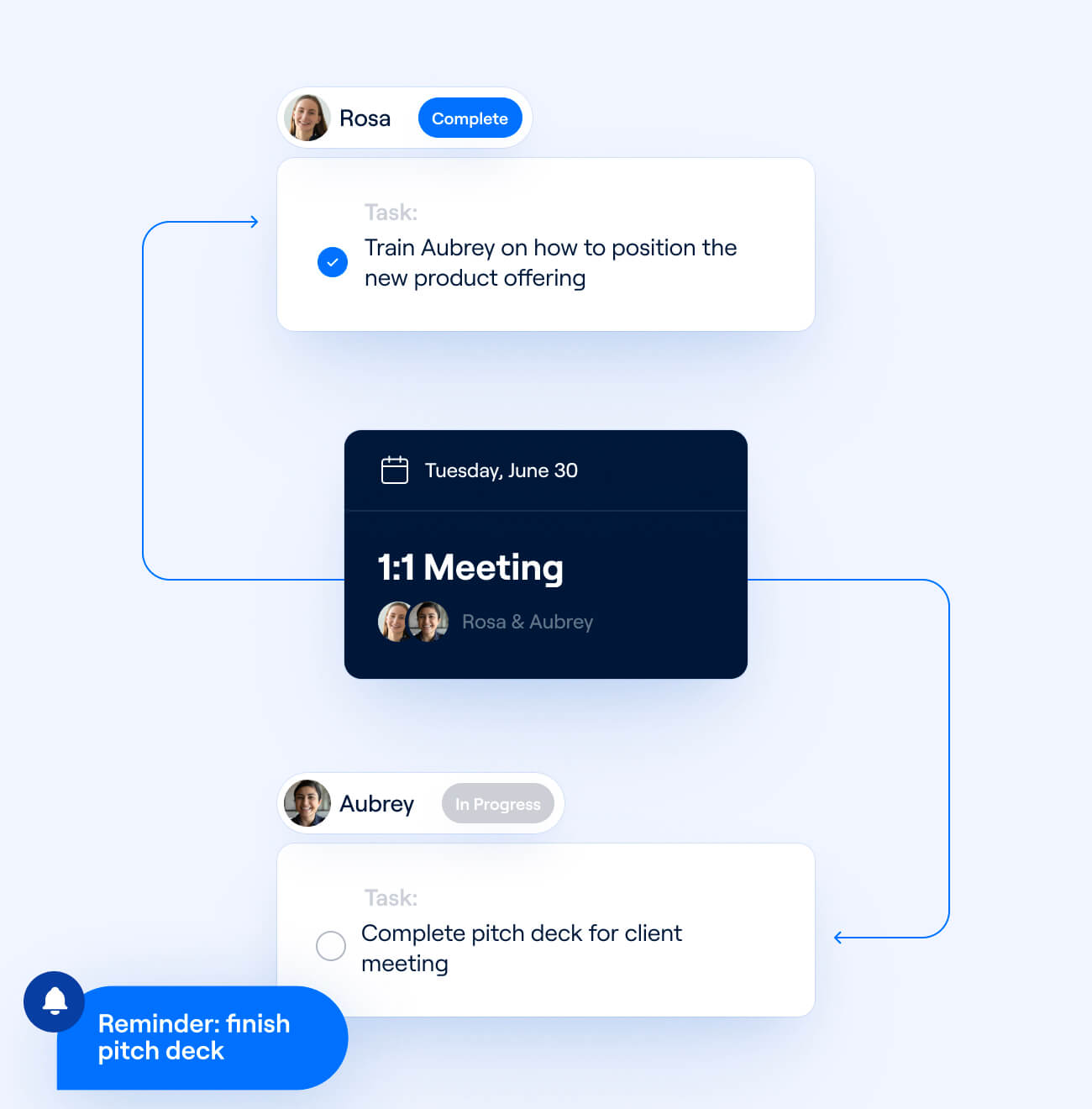
Turn discussions into tickets
Turn what’s mentioned in a meeting directly into tickets and action items. Combining participant data like names and emails with perfectly diarized transcripts that correctly attribute speech every time, Recall.ai ensures that tickets are created by and assigned to the right person.
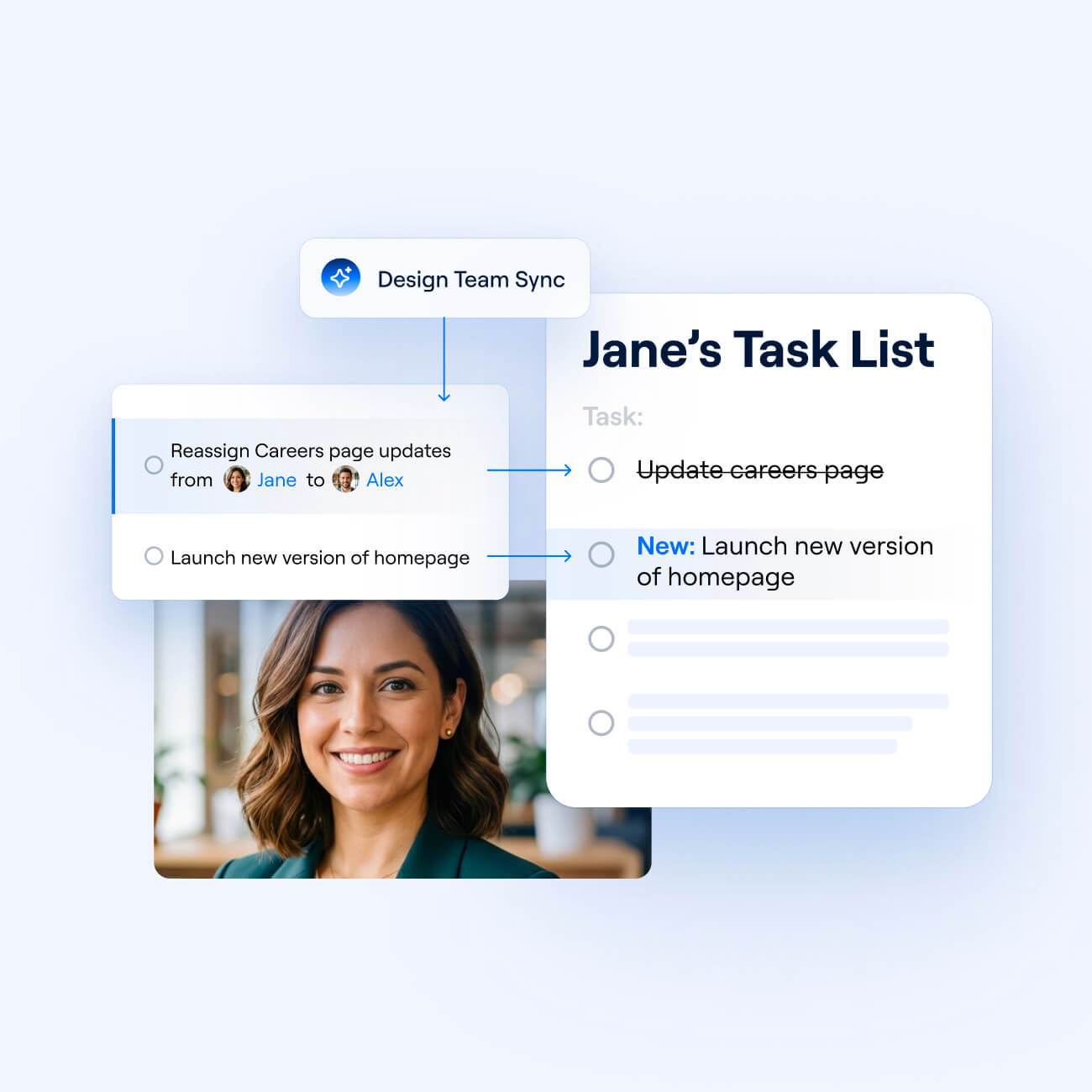
Automatically update task lists
Build flows that update employee task lists based on what’s discussed in a meeting: reassigning a project from one person to another, changing deadlines, modifying the status of tickets, and more.
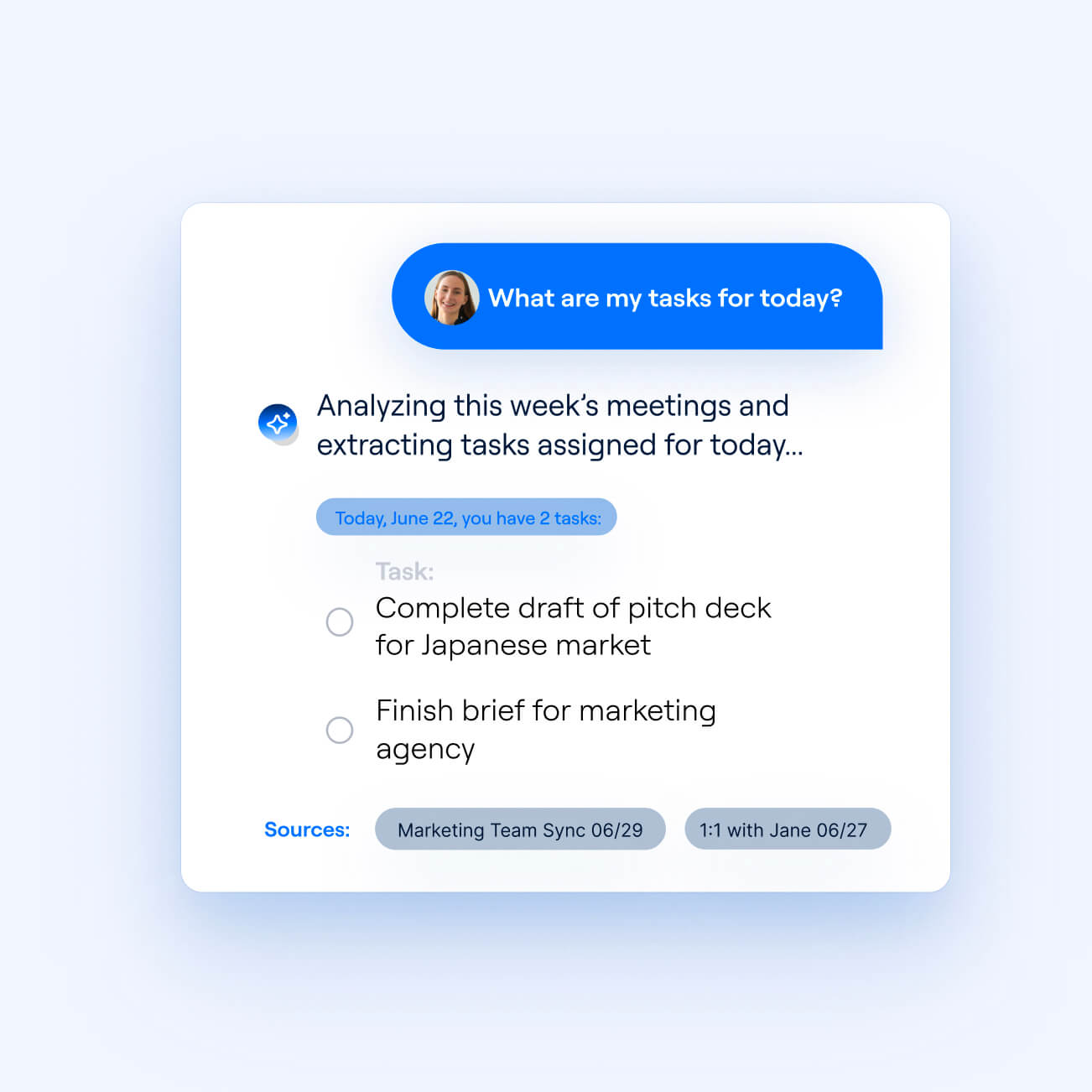
Power AI knowledge agents
Recall.ai's conversational agent API allows you to build an agent that combines meeting context with data from Slack messages, emails, and other sources of knowledge. The agent can then give a recap of an employee’s upcoming tasks and offer context on to-dos, citing the exact point in a meeting when a task was discussed.


Complete context for your project management platform
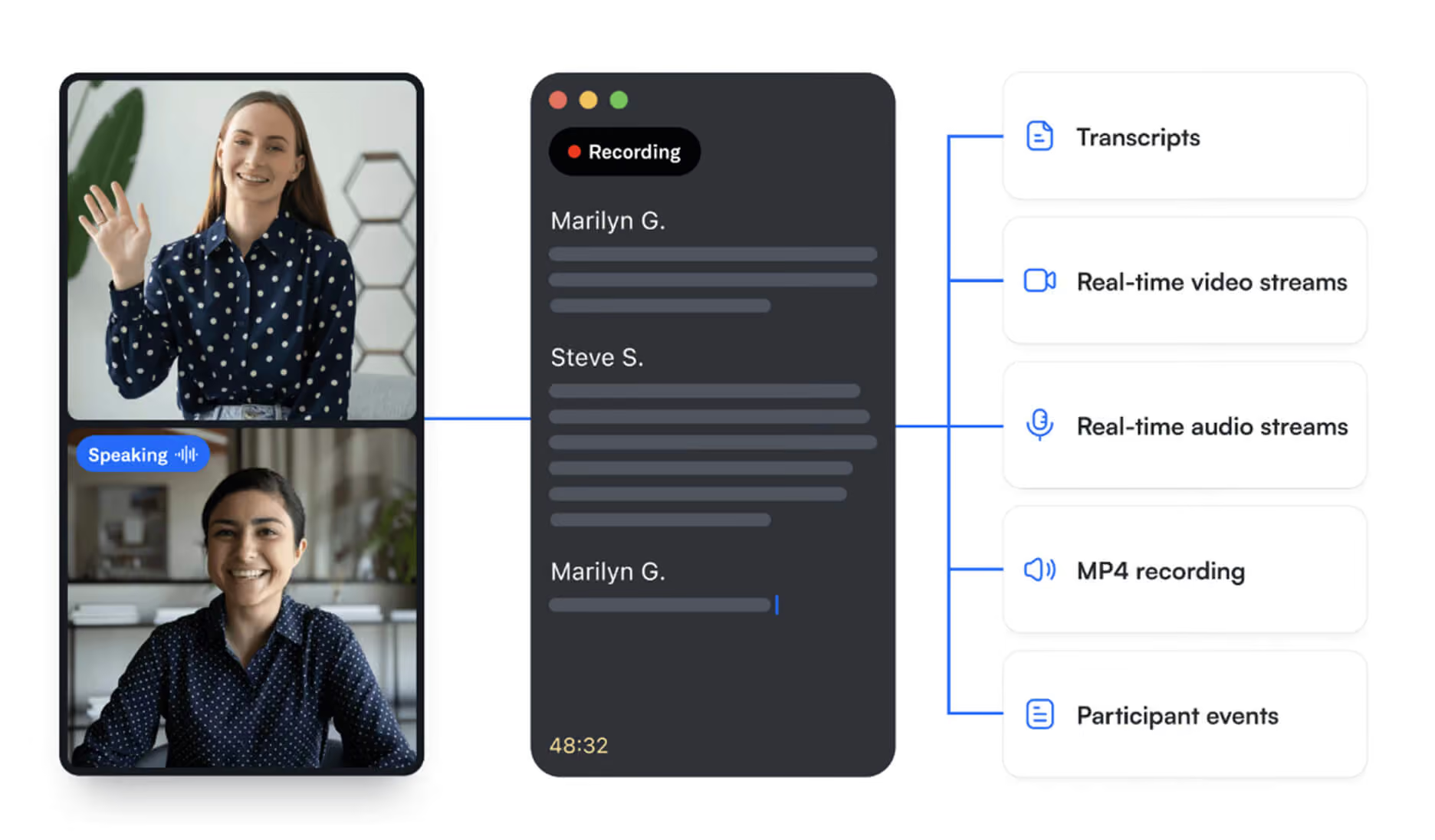
Get video and audio recordings, transcripts, and metadata, in real time or post-call. With Recall.ai, your application and agents have full insight into what happens during a meeting, from screenshares to chat messages.
Automatically create tickets from in-person and virtual conversations
In addition to a meeting bot API that records meetings with a visible bot, Recall.ai supports a more subtle recording experience via the desktop recording SDK. This allows teams to capture both in-person and virtual meetings with a desktop app on their device – no bot needed.

Frequently asked questions
Once you have the meeting transcript from Recall.ai, pass it to an LLM with a prompt describing the task format you want back, such as the owner, due date, priority, or other relevant information like decisions and blockers surfaced in the meeting. You can see an example of how to automatically generate action items with Recall.ai with our sample app and corresponding guide to capturing meeting tasks.
Yes. Recall.ai's Calendar API integrates with Google Calendar and Microsoft Outlook to schedule recordings for upcoming meetings. Teams can define their own logic for which meetings to capture – for example, meetings with “Standup” in the title or recurring 1:1s using calendar v2.
Yes. The Desktop Recording SDK lets teams capture in-person conversations directly from a Mac or Windows computer. Your platform can then use the meeting transcripts to generate tickets.
Yes. You can use the Meeting Bot API to output audio and video into a call in real time, so you can build an interactive AI agent that presents content or responds to participants live. Your agent can present an agenda, answer questions about projects, or give context on a task while a meeting is happening.cc
Recall.ai supports transcription codeswitching and can detect when a conversation switches languages, accurately transcribing each portion of the meeting in the language being spoken. This allows you to create accurate tasks in situations where teams speak multiple languages and switch in between them during a conversation.
Yes. Recall.ai supports real-time transcription via webhooks, so you can stream a meeting's content to an LLM as it happens and surface prompts while people are still talking — for example, flagging an unassigned action item or referencing an upcoming deadline.
No. Recall.ai can record a meeting even when the organizer isn't present or is in another call, so meetings are captured reliably regardless of a particular person’s attendance.
Recall.ai's transcription API delivers transcripts in 100+ languages, making it well-suited for global teams. We offer a native transcription service and integrate with many third-party providers, so you can pick the solution with the balance of cost, accuracy, and latency you need.
Any company looking to help their users get insights from conversations can use Recall.ai. We support AI notetaking and meeting analysis across industries, including tools to get insights from 1:1 meetings, automated interview scorecards, notetakers for financial advisors, conversation intelligence for sales calls, and AI scribes.


