Microsoft Teams Meeting Bot API
Programmatically get video, audio, transcripts and metadata, in real-time or asynchronously with just a few lines of code.

One API for all your meeting data
Recall.ai's Microsoft Teams Bot API is the easiest way to programmatically get video recordings, audio recordings, transcripts, and metadata, in real time or asynchronously, with just a few lines of code. From a Microsoft Teams recording API to a Microsoft Teams transcript API, everything you need is delivered through one unified endpoint.
Multi-platform support, zero extra effort
Go beyond Microsoft Teams with ease. The API automatically expands to Google Meet, Zoom, Slack, and more with no additional engineering required. Configure transcription, recording formats, and platform settings with a single change, and scale across providers without rewriting code.




Get data from any Microsoft Teams meeting
Get meeting data no matter the edge case
Join any Microsoft Teams without host permissions or user attendance. Supports Business, Enterprise, Education, and free Microsoft Teams accounts.

Capture every detail from every meeting
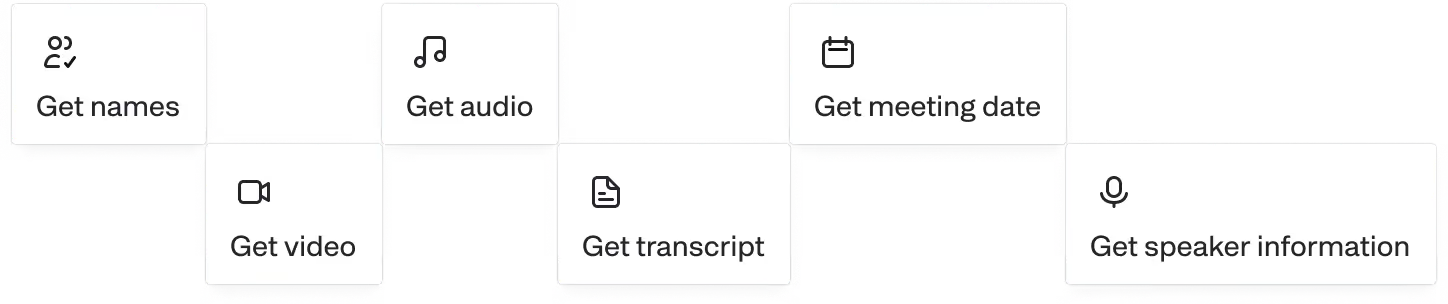
Retrieve audio, video, transcripts, and metadata (participant emails, participant lists, meeting titles, etc) in real-time or asynchronously.

Scale up or down instantly
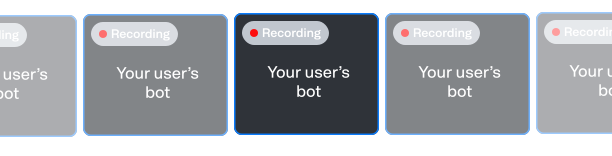
Run as many Microsoft Teams bots as you need. We’ll handle reliability, scaling, and compliance.
Deploy in minutes, not hours
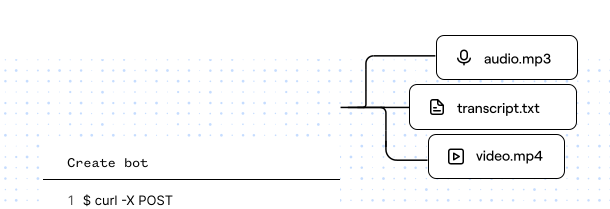
Building a Microsoft Teams bot from scratch can take months of engineering work. With Recall.ai, you’ll be live in hours.
The leading Microsoft Teams bot API
Capture Microsoft Teams data through a single API. Access diarized transcripts and recordings in real-time or after the call.


Keep your Microsoft Teams data secure
Just call our Meeting Bot API and we’ll handle scaling, reliability, and compliance, so your team can focus on creating the features your users love.
Reliable and stable
We power call recording features for thousands of companies, ranging from seed-stage startups to Fortune 500 enterprises.
Onboarding support
We work closely with your team, and have shared Slack channels to ensure so you are set up for success.
Scalable infrastructure
We run thousands of concurrent bots and process billions of minutes in recording per year. All while maintatining a 99.9% uptime SLA.
Security Controls
We are SOC2, ISO 27001, GDPR, CCPA, and HIPAA Compliant.
For more information, check out our security portal.
GDPR
SOC 2
HIPAA
CCPA
ISO 27001


Frequently asked questions
No. There is no need to register an app in Azure to use the Recall.ai Microsoft Teams Meeting Bot API.
Yes. Recall.ai's Meeting Bot API allows you to receive audio/video in real time and act on it instantly.
Yes. Recall.ai bots can join meetings across tenants, with or without the user joining.
Recall.ai allows you to run an unlimited number of bots. We’ll handle the scaling.
The easiest way is to use Recall.ai’s Meeting Bot API, which handles the complex work of joining, recording, and transcribing meetings for you. For developers who prefer a custom approach, we’ve also created a detailed guide on how to build a Microsoft Teams meeting bot from scratch.
Yes, Recall.ai maintains SOC 2, ISO 27001:2022, GDPR, CCPA, and HIPAA compliance.
Yes. Recall.ai allows you to get the recording and transcript for any Microsoft Teams call. Unlike Microsoft Graph, which restricts meeting transcription to organizers, you can use Recall.ai to transcribe a meeting regardless of your user's organizational plan and whether they are the host.
Recall.ai’s Meeting Bot API works across every major meeting platform, and delivers both real-time and post-meeting data. Meanwhile, Microsoft Graph (Microsoft’s native API) doesn’t offer real-time transcripts from meetings, and only works on one meeting platform.
Microsoft Graph also has constraints related to transcription permissions. For example, if you use Microsoft Graph, your users’ organization has to manually approve your app before it can transcribe meetings at all. Because cross-tenant access is scoped to the meeting organizer, any meetings hosted by your customers’ external contacts won’t be retrievable through the Graph API. Because of this, Microsoft Graph is a better fit for internal use cases where every recording originates from a single organization and every meeting takes place on Teams.
Yes. You can get mixed or per-participant audio and video. It’s just a single field in the config.
Most teams get their first Microsoft Teams bot running in under an hour by signing up for our self-serve plan.
You can use Recall.ai Transcription or you can bring your own API keys for any of our transcription providers.
Yes. You can use Output Media API to stream data into the meeting through your bot.


