Two form factors to capture Zoom meeting transcripts programmatically
The fastest way to pull transcripts, video recordings, audio recordings, and metadata, in real time or post-meeting. Recall.ai's Zoom Bot API & Desktop Recording SDK provide all the functionality you need from a meeting transcription API through one unified endpoint.
One API to get transcripts in real time or post-meeting for every platform
Go beyond Zoom with ease. The transcription API automatically expands to Google Meet, Microsoft Teams, Slack, and more with no additional engineering required.


The easiest way to get Zoom meeting transcripts via API

Get meeting transcripts no matter the edge case

Capture every detail from every meeting
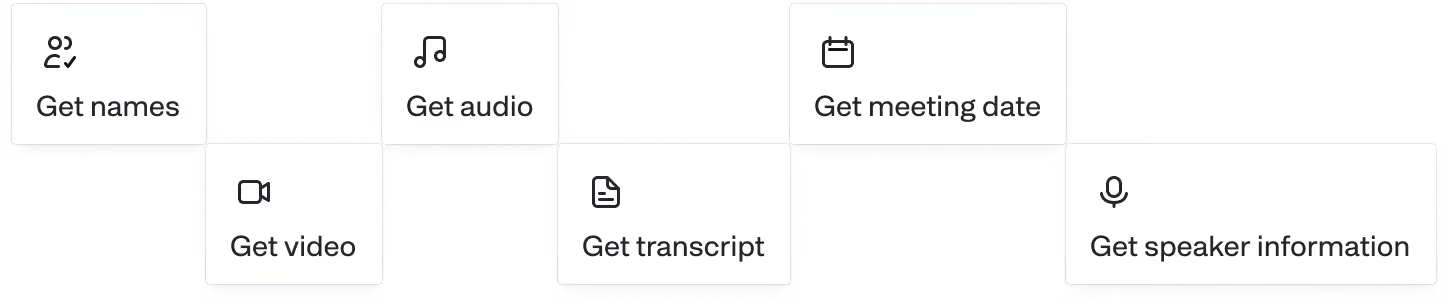
Retrieve audio, video, transcripts, and metadata (participant emails, participant lists, meeting titles, etc) in real-time or asynchronously.

Scale up or down instantly
.svg)
Deploy in minutes, not hours
%20final.svg)
More than a Zoom meeting transcription API
With Recall.ai, you don’t just get text. Access Zoom audio and video recordings, and rich metadata in real-time or post meeting.
Keep your meeting data secure
Just call our API and we’ll handle scaling, reliability, and compliance, so your team can focus on creating the features your users love.

Reliable and stable

Onboarding support

Scalable infrastructure


Security controls
For more information, check out our security portal.

Frequently asked questions
A Zoom transcription API is any API that programmatically provides transcripts from Zoom meetings. At Recall.ai that functionality is available both in the Desktop Recording SDK and Meeting Bot API, both of which provide additional data.
Yes. Recall.ai's Desktop Recording SDK and Meeting Bot API work across all major platforms.
Yes. The Recall.ai Meeting Bot API and Desktop Recording SDK both offer real-time transcription via webhook and offer transcripts after the meeting via API endpoint.
Yes, Recall.ai is SOC 2, ISO 27001:2022, GDPR, CCPA, and HIPAA compliant.
Yes. You can provide your own transcription API keys for one of our supported transcription providers or use Recall.ai Transcription to transcribe your meeting.
We can either store your data or you can set custom retention for all of your meeting data, including transcripts, depending on your needs and compliance requirements.
Since accuracy depends on the transcription provider you choose, it is recommended that you run the same meetings through several providers to determine which provider is going to be the best fit for your language. Recall.ai integrates with several transcription providers so you can connect the speech-to-text engine that best matches your needs for language, accuracy, and cost.
You can get recordings and transcripts in addition to metadata, speaker names, timestamps, and participant emails.
They're often used interchangeably. Both meeting Zoom transcription API and Zoom meeting transcript API refer to an API that allows access to transcripts for meetings hosted on Zoom.
Recall.ai's Zoom meeting transcription supports over 30 languages using Recall Transcription. Other transcription providers support varying numbers of languages.
Yes. You can sign up for self-serve and get your first several hours free to test on Recall.ai.
Recall.ai’s Zoom Meeting Bot API allows you to pull transcripts, video & audio recordings, and metadata, in real time or post-meeting. You can learn more about the recording features on our Zoom Recording API page.
You can use Recall.ai’s Zoom Meeting Bot API to take care of all the heavy lifting, including joining, recording, and transcribing Zoom meetings. If you prefer to build one from scratch, you can read our detailed guide on how to build a Zoom meeting bot.
Yes, you can use Recall.ai's AI meeting agent API to build an agent that can interact in Zoom meetings just like a human participant. Recall.ai allows your agent to speak, share video, send chat messages, and more.
You can use Recall.ai’s Zoom Meeting Bot API to join your Zoom calls and generate transcripts automatically. For a full walkthrough of all the ways to get Zoom transcripts, see our guide: How to Get Transcripts from Zoom.
Yes! Recall.ai transcription delivers transcripts in around 100 languages. Recall.ai supports transcription language identification and code-switching, accurately transcribing situations where people switch between languages in a conversation.


