Action Items API
Capture and assign accurate action items from meetings

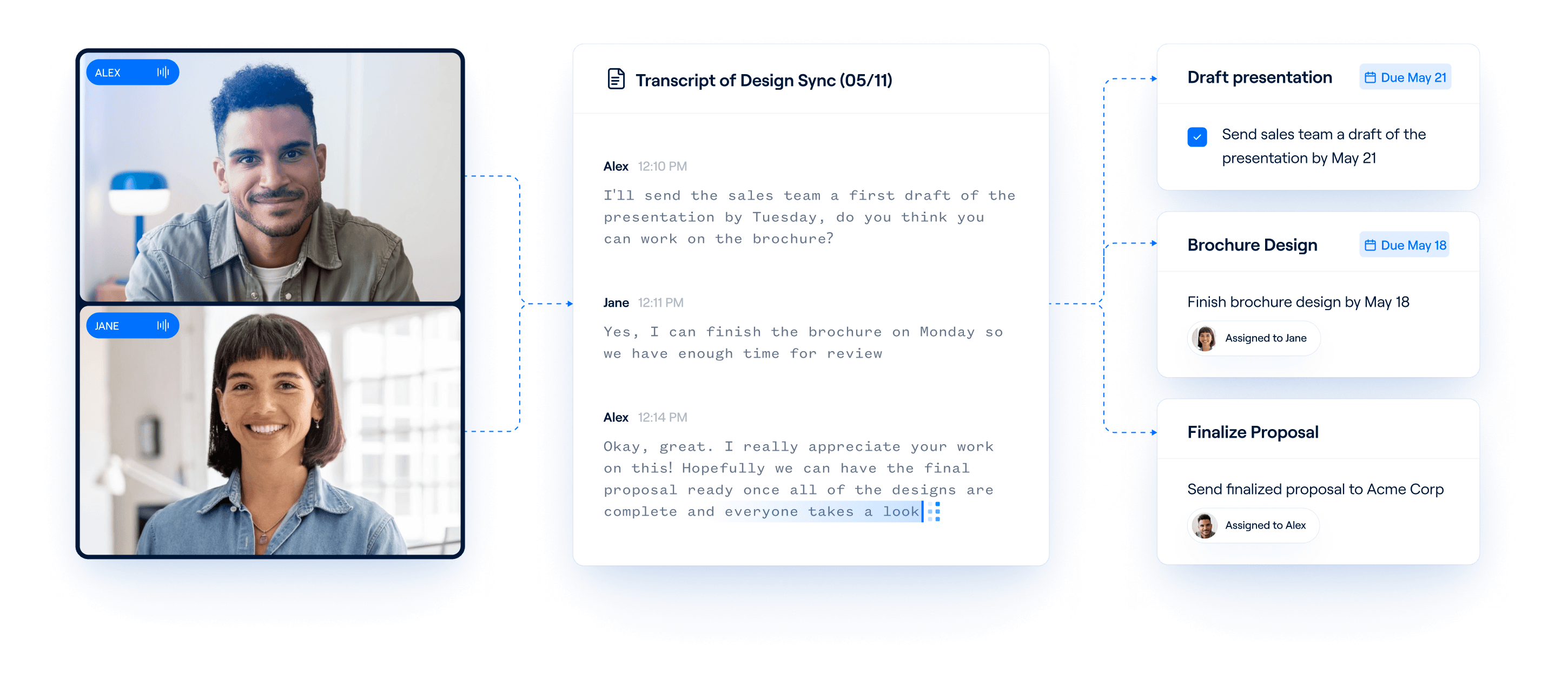
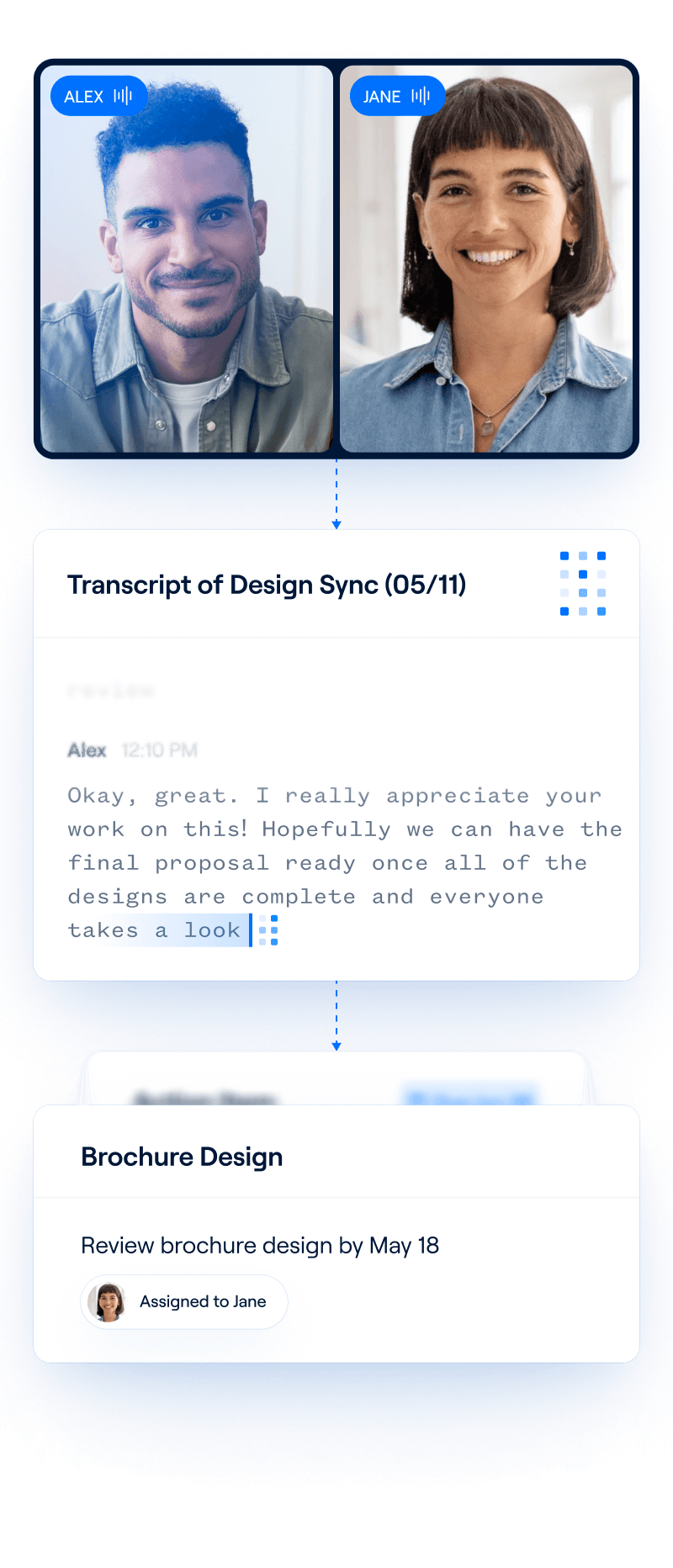
How does Recall.ai help teams record action items?
Recall.ai captures real-time and asynchronous transcripts from in-person conversations and meetings on platforms like Zoom, Google Meet, and Microsoft Teams, even if the host is not present. You can then pass the diarized transcripts and metadata you receive from Recall.ai to an LLM and extract action items according to your preferences.




What can you do with Recall.ai’s action items API?
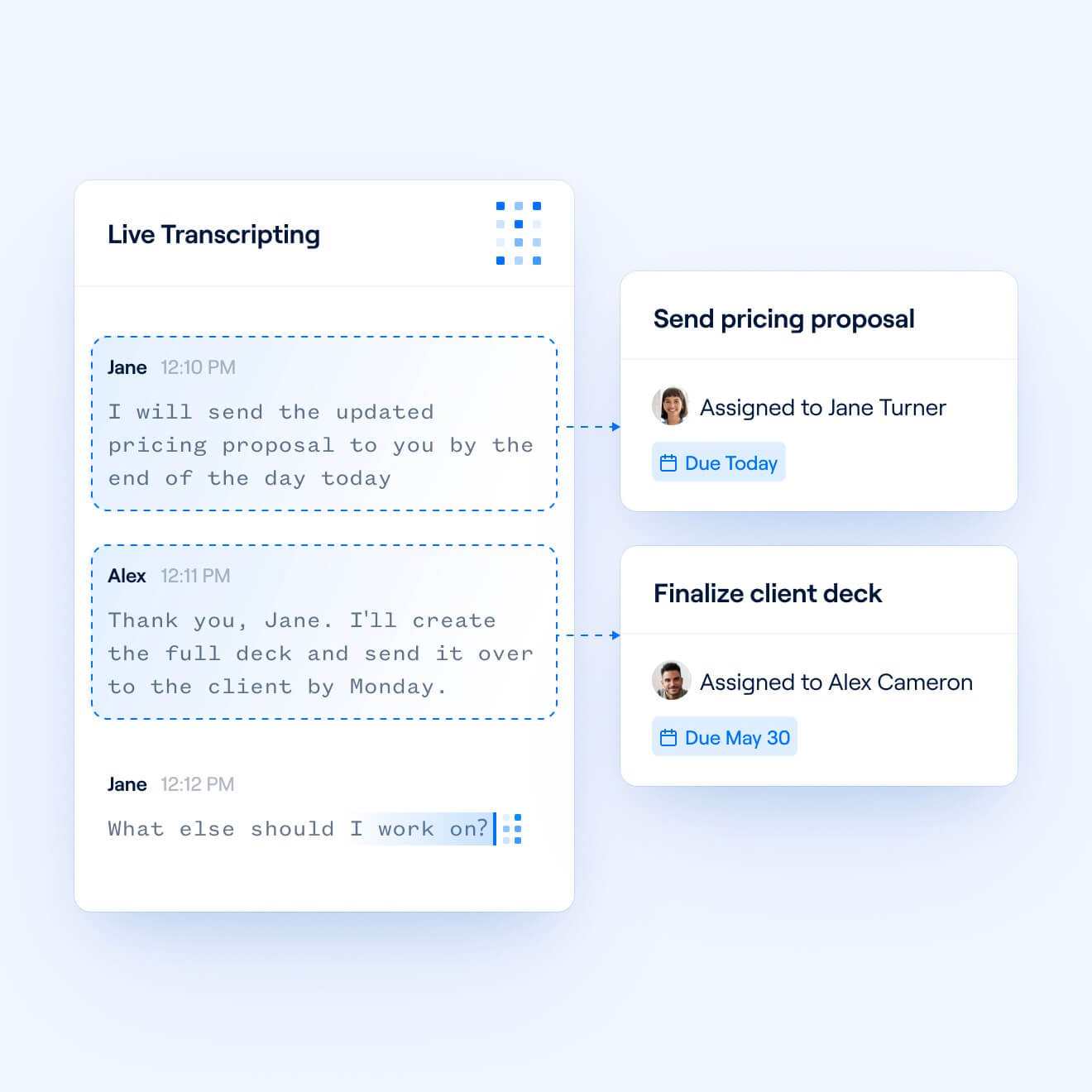
Accurately assign action items
Recall.ai offers perfect speaker diarization for both meeting bots and desktop recording, meaning that speech in transcripts will always be attributed correctly. This allows action items to be consistently assigned to the right people.
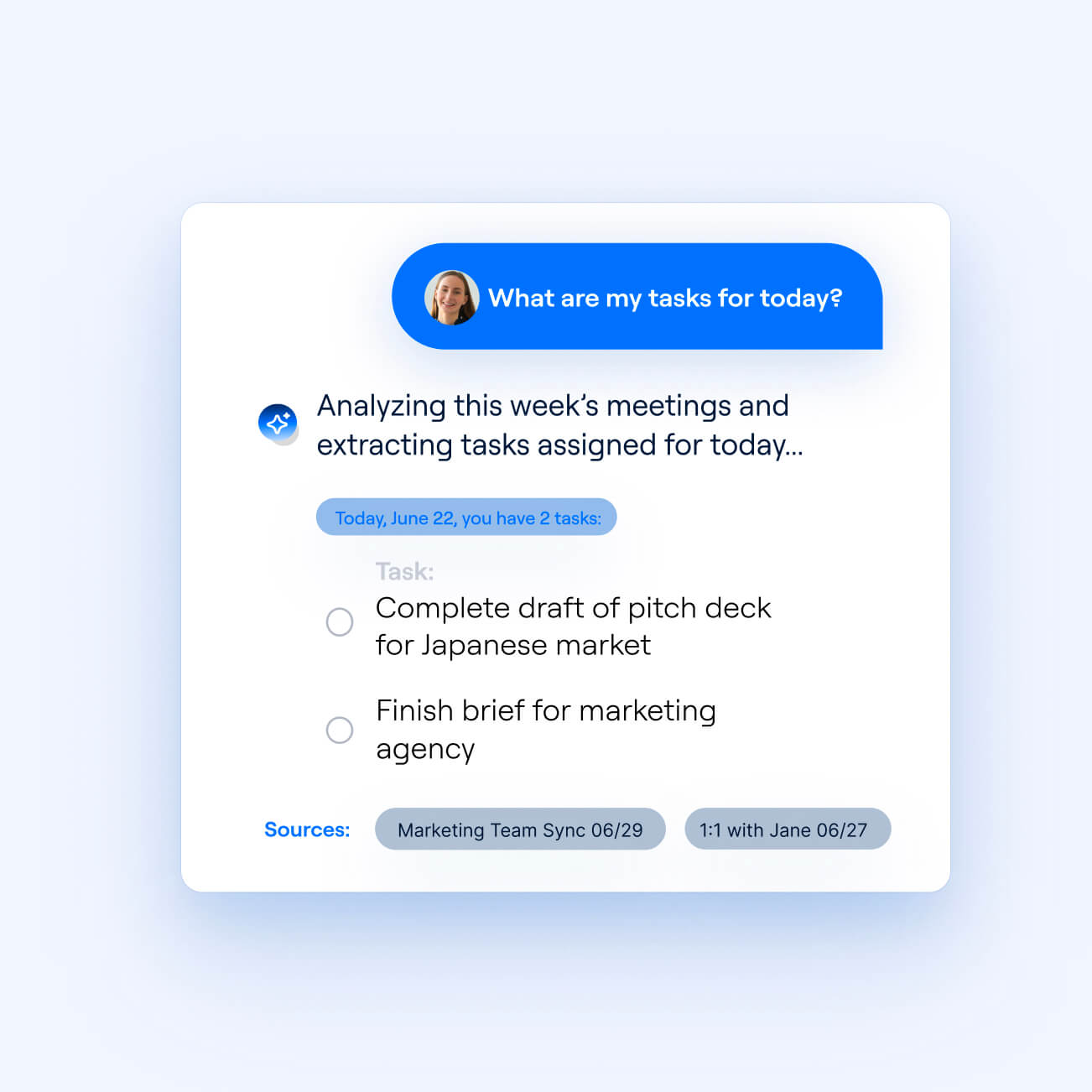
Power productivity agents
Recall.ai's conversational agent API allows you to build a conversational agent that ingests meeting context, so users can ask questions about upcoming tasks. Your agent can then recap a user’s to-do list and offer additional context, citing the exact timestamp in a meeting where an action item was discussed.
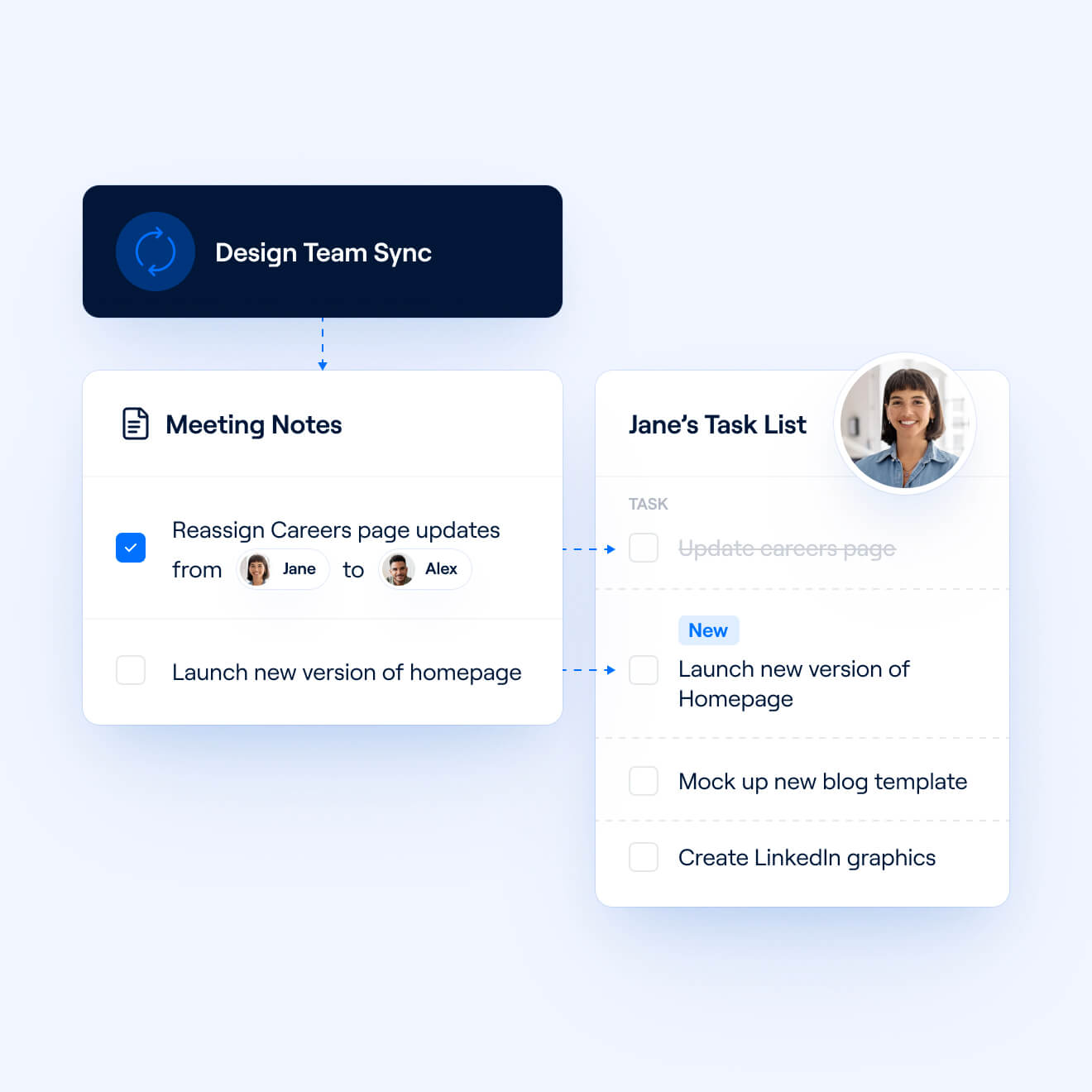
Keep action items and tasks up-to-date
Action items are always changing: deadlines shift, tasks get reassigned, and new to-dos surface after a discussion. Build workflows that automatically update or create action items after meetings, so each user’s task list reflects the most recent conversation.
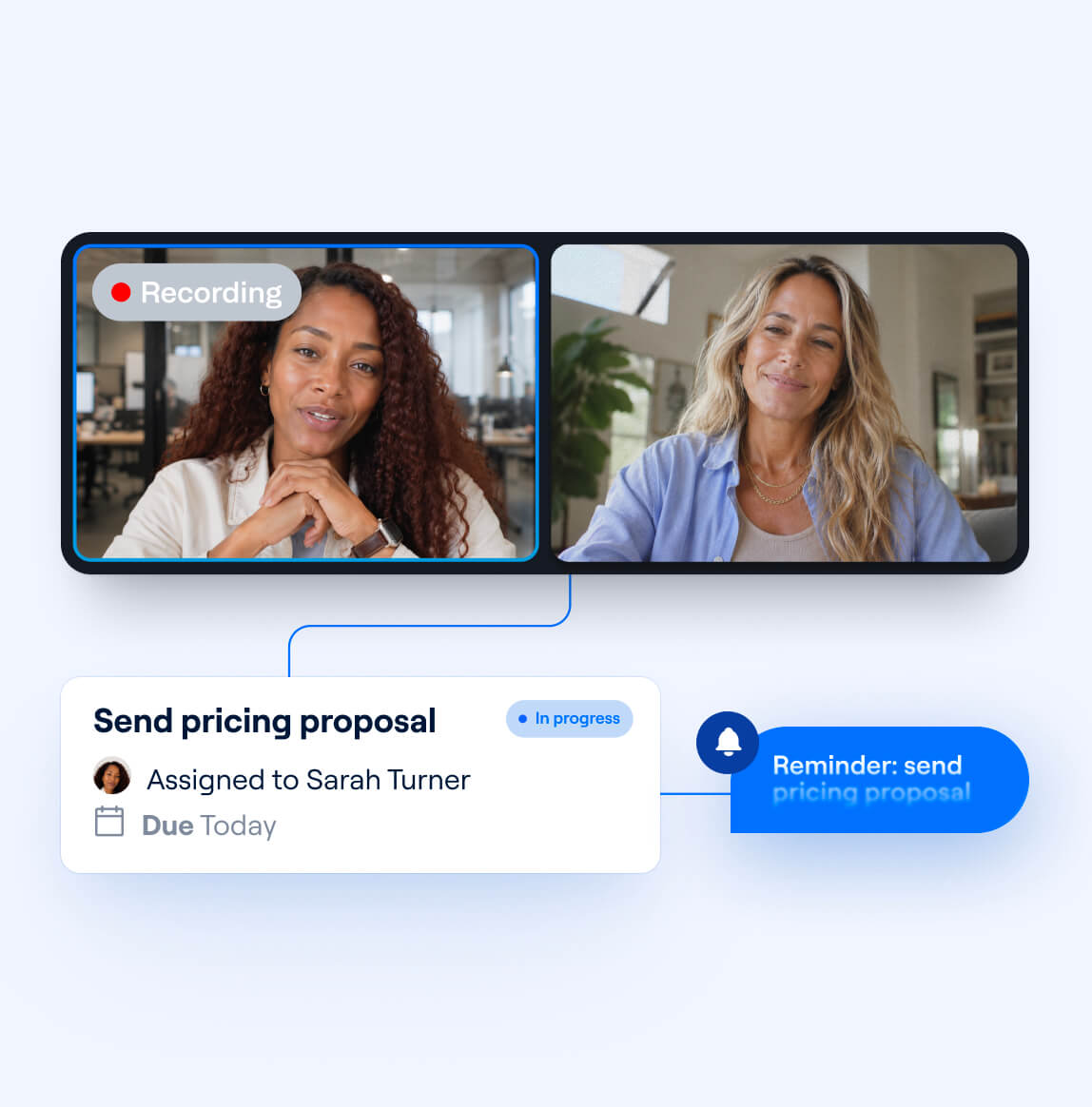
Build action items into your workflows
Send action items generated from a meeting directly into a project management tool or CRM. Assign action items to specific records and users by incorporating event context from Recall.ai’s calendar integration API, matching tasks to data like meeting titles and participant email addresses.
Capture action items from any conversation
Recall.ai can record virtual and hybrid meetings, phone calls, and in-person chats, allowing you to get action items from all of your users’ conversations.





Keep your meeting data secure
Just call our action items API and we’ll handle scaling, reliability, and compliance, so your team can focus on creating the features your users love.
Reliable and stable
We power call recording features for thousands of companies, ranging from seed-stage startups to Fortune 500 enterprises.
Onboarding support
We work closely with your team, and have shared Slack channels to ensure so you are set up for success.
Scalable infrastructure
We run thousands of concurrent bots and process billions of minutes in recording per year. All while maintatining a 99.9% uptime SLA.
Security Controls
We are SOC2, ISO 27001, GDPR, CCPA, and HIPAA Compliant.
For more information, check out our security portal.
GDPR
SOC 2
HIPAA
CCPA
ISO 27001
Frequently asked questions
Recall.ai captures diarized transcripts and meeting metadata from calls, which you can pass to the LLM of your choice and extract action items according to your preferences. For an example of an effective prompt, check out our sample app and follow along with our guide to capturing meeting action items.
Recall.ai produces perfectly diarized transcripts by capturing separate audio streams per participant, so speech is always attributed to the right person, even when multiple people talk at once.
Both. Configure real-time transcription to surface action items live during a meeting, or fetch the asynchronous transcript after the call ends and generate a full list of to-dos in one pass.
Yes. The Desktop Recording SDK records directly on the user’s device with no bot participant in the call and delivers the same diarized transcripts and participant data.
Yes. Recall.ai’s meeting bots join and record regardless of host attendance or meeting platform tier, so action items are captured even for meetings the organizer misses.
It takes just a few minutes to send a bot to a call or configure a botless recorder. From there, you can fork our action items sample app, connect the transcript to an LLM, and have a working prototype running the same day.
Yes. With Recall.ai’s calendar API, you can automatically record meetings matching the criteria of your choice, such as all customer calls or every meeting with a particular word in the title.
No. You do not need to be in the call for your notetaker to join if you are using our Meeting Bot API. You can use Recall.ai's calendar integration to schedule your bot to join and record the meeting even if you're absent. This allows you to access the call and all of its data later.


