


Developers building AI meeting agents with Recall.ai have traditionally used a webpage to send audio and video into meetings. Now, there's another option: direct integrations with AI agent frameworks and voice platforms.
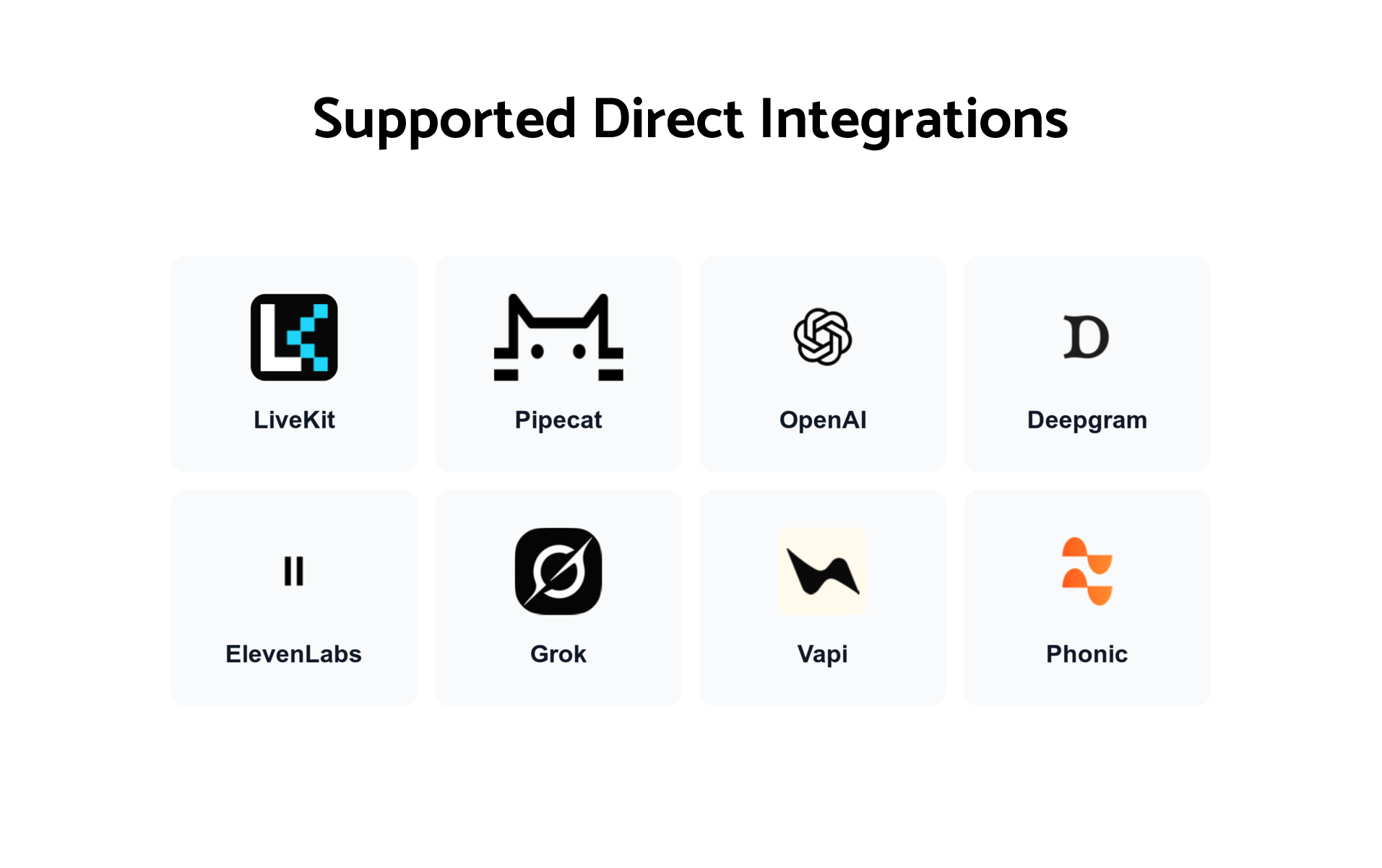
These integrations extend our existing Output Media API, allowing developers to connect supported providers like LiveKit, Pipecat, OpenAI, Deepgram, ElevenLabs, Grok, Vapi, and Phonic without having to render their media through a webpage first.
Webpage streaming remains a great option for custom visual experiences, while direct integrations can simplify the setup and, depending on the use case, reduce latency and the compute resources needed to run an agent.
How the new integrations work
Recall.ai's Output Media API lets developers build agents that can speak, display video, and share content in Google Meet, Zoom, and Microsoft Teams.
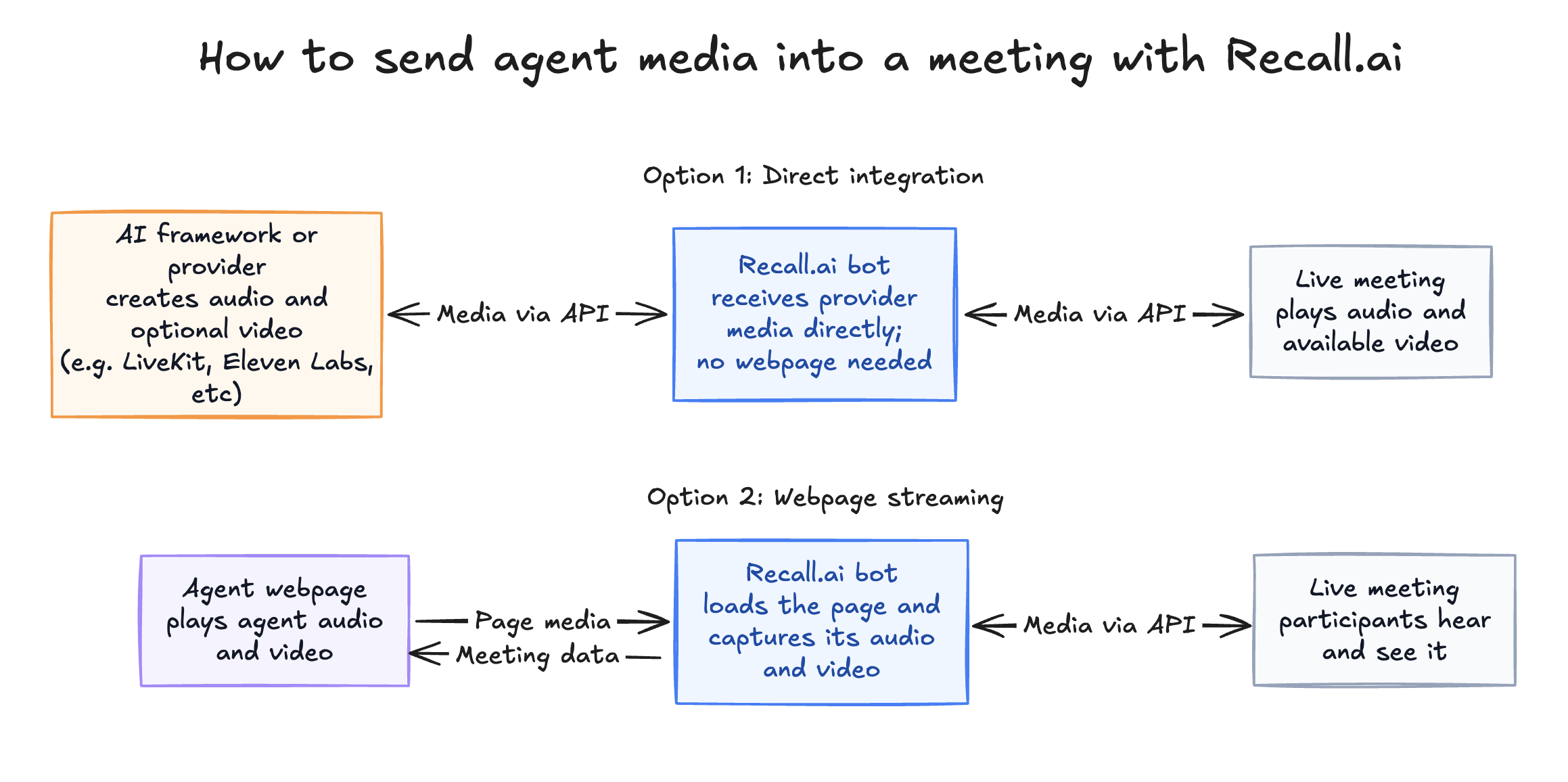
With webpage-based Output Media, Recall loads a webpage, captures its audio and video, and streams that content into the meeting. Developers can use HTML, CSS, and JavaScript to control what the bot displays, from a simple visual cue to show when the agent is speaking to an animated avatar or interactive dashboard.
Our new direct integrations provide another way to deliver that media. If you're using a supported framework or provider that already generates audio or video, you can connect that output to Recall through its APIs, skipping the webpage step.
If you want to try these direct integrations, you'll need to update your Recall integration to enable the provider you want to use, whether that's LiveKit, Pipecat, or another supported platform. Recall still handles connecting the bot to the meeting, while your chosen framework or provider handles the agent's conversation and generates its audio or video output.
Supported integrations
We're adding integrations for:
- LiveKit: Real-time voice and multimodal agents.
- Pipecat: Customizable voice and multimodal AI pipelines.
- OpenAI: Agents powered by realtime models.
- Deepgram: Voice AI agents.
- ElevenLabs: Conversational agents with synthetic voices.
- Grok: Realtime voice agents powered by xAI.
- Vapi: Voice AI assistants.
- Phonic: Speech-to-speech AI agents.
We're also publishing sample applications and tutorials for each integration, including examples of agents that answer questions, share webpages, post messages in the meeting’s chat, and respond to commands from participants.
When to use the new native integrations or webpage streaming
Both approaches let you build interactive meeting agents. The main difference is how the agent's audio and video reach the meeting.
Building an agent with high resolution, high frame rate avatars?
Some applications need more advanced rendering than a standard bot configuration can provide. If you're building an agent with high resolution, high frame rate avatars or complex rendered scenes, reach out to the Recall.ai team to find an approach suited to your rendering requirements.
Native integrations
Direct integrations are a good fit when your framework or provider already generates the media you want participants to receive.
For example, a voice agent might only need to play audio and display a simple speaking indicator. If you're using a supported voice AI provider, sending its audio directly to Recall can remove the need to run a webpage for that purpose.
The same applies to providers that generate animated avatar video. If the video is already being produced by the provider, you may not need to render it in a browser first.
Depending on the configuration, removing the browser can greatly reduce latency and allow you to run the bot with fewer compute resources.
Webpage streaming
Webpage streaming is useful when you want to build or control the visuals that appear in the meeting.
For example, you might want an agent that speaks while displaying a dashboard, presenting documents, or updating custom graphics in real time. Webpage streaming is particularly useful when you're building those visuals yourself using HTML, CSS, and JavaScript.
These aren't exclusive capabilities, though. An agent connected through LiveKit can still use Recall's APIs to share webpages or send messages in the meeting’s chat. Likewise, webpage-based Output Media can also be used for voice agents and animated avatars, not just agents that display media.
The decision largely comes down to where your media is generated and how much control you need over its presentation.
| Consideration | Direct integrations | Webpage streaming |
|---|---|---|
| Media delivery | Through supported provider APIs | Recall captures media from a webpage |
| Audio and video | Depends on the provider | Audio and video rendered in the webpage |
| Visual customization | Provider-generated media, with separate meeting actions available | Custom browser-rendered visuals |
| Infrastructure | May be able to avoid running a browser for media output | Uses a webpage to render media |
| Good fit | Providers that already generate the required media | Custom visual experiences built with web technologies |
Get started
If you're already using webpage-based Output Media, your existing implementation will continue to work. However, if your agent generates its audio or video through one of the newly supported providers, a direct integration may be worth considering – particularly if you want to reduce latency or infrastructure usage.
For new applications, you can choose the approach that fits your agent's requirements. If you’re using a supported framework and your agent already generates the media you want, choose an integration. If you need highly customized visuals, streaming might be a better fit.
Check out the agents page and documentation on sending agents with Recall.ai to learn more about sending media into meetings, or explore our new integrations and sample applications to get started.


